Reporting what you hear
On a repeater net, everybody hears everybody, because the repeater does the hearing for them. An emergency communications plan has to answer a harder question: when the repeater is down, who can still hear whom on simplex, and who will need a relay to get through? The only way to answer that is to ask the stations themselves, and write the answers down.
Some nets do exactly that. A net with station-to-station coverage logging turned on asks each station which other checked-in stations it can hear directly. Every report fills in part of the picture: net control sees it as a table and as lines on the map, and you get a map of your own of everyone you’ve heard from home.
Not every net uses this. If you don’t see an I hear button after you check in, the net you’re on isn’t collecting coverage reports.
Record what you can hear
- Check into the net as usual. The button only appears once you’re checked in.
-
Click I hear in the net toolbar. On a narrow screen it may have moved into the More menu at the end of the toolbar.

I hear only appears on a net that has coverage logging turned on. - Tick every station you can hear. The list is everyone else in the net, including stations that have already checked out (they’re greyed out, and sorted last).
- Check Operating Position. It starts at Home; change it to Field Deployed, or type your own, if you’re not operating from your usual station.
- Click Save.
“Everybody but…”
The most common report on a simplex net is “I can hear everybody except two.” For that, tick All stations at the top of the list, then untick the ones you can’t hear. Clicking All stations again clears everything.
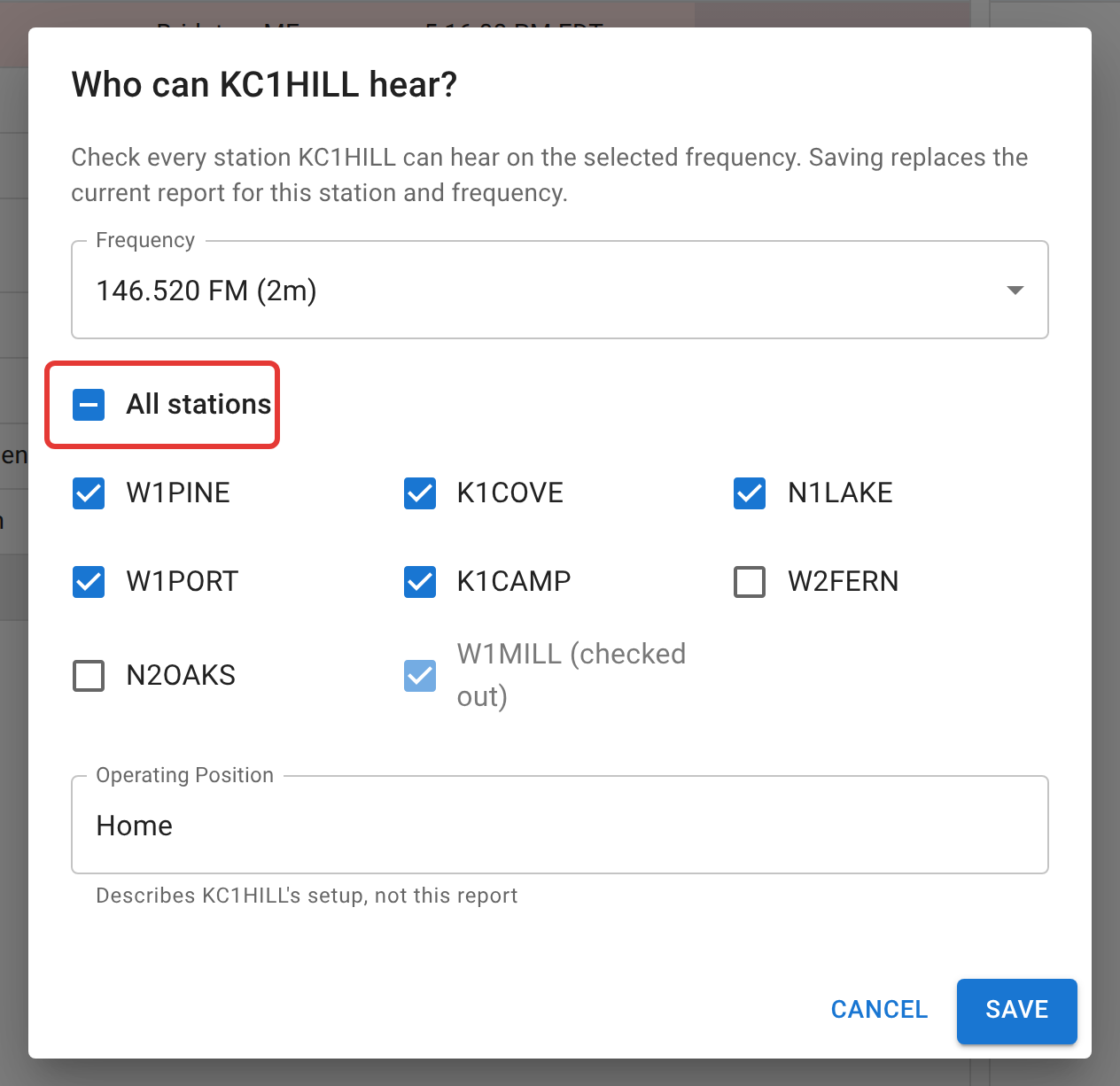
All stations includes checked-out stations too. A station that checked out after you heard it was still heard, and the report should say so. If you didn’t hear one of them, untick it like any other.
While only some stations are ticked, the All stations box shows a dash instead of a tick.
The parts that surprise people
Saving replaces your last report, it doesn’t add to it. The dialog opens with your previous answers already ticked. Change what’s different and save again; whatever is unticked when you save is removed.
Reports are per frequency. On a net with one frequency, a Frequency box at the top shows which one you’re reporting on. On a net with several, the dialog becomes a grid with one column per frequency, so you can say you hear a station on 2m but not on 80m. Each column has its own select-all box under its heading.
Net control can record it for you. If you’d rather say it on the air (“KC1HILL, I hear everybody but W2FERN and N2OAKS”), net control, the Logger, or a Relay can tick the boxes for you from your row. That counts exactly the same, including on your own map below. It’s also the only way to report on a net that has turned self-reporting off: you won’t see I hear there at all.
Everyone viewing the net can see the reports. Coverage is part of the net’s log, the same as the check-in list. Your personal map, below, is only yours.
One-way isn’t an accusation. When you report hearing a station and they haven’t reported hearing you yet, net control sees that pair marked One-way. It often just means the other station hasn’t been asked.
Your coverage map
Profile > Coverage shows every station you’ve heard from home, across every net you’ve taken part in, on one map.
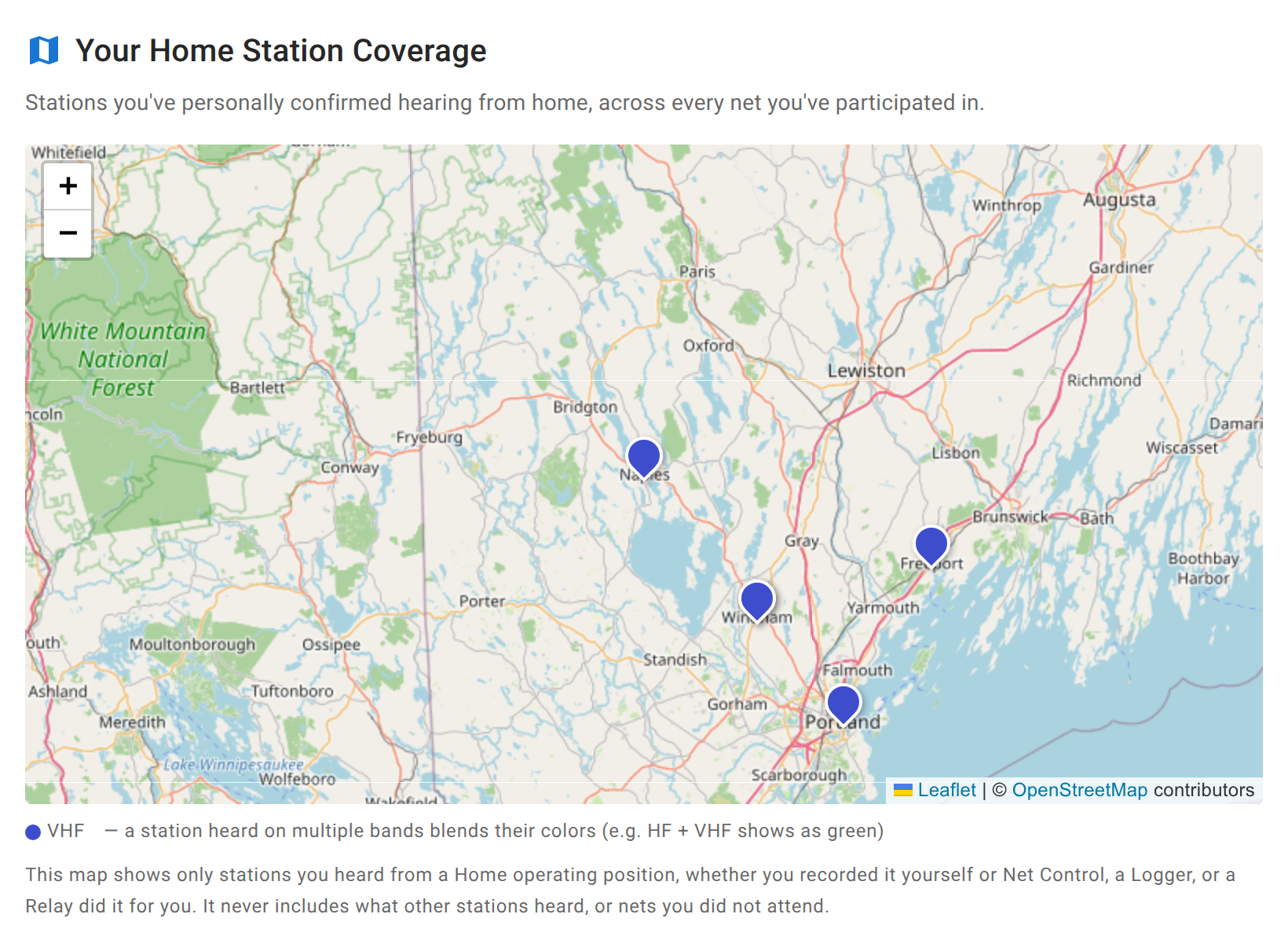
- Only Home reports are mapped. A report with your operating position set to Field Deployed says something about that location for one night, not about your station, so it’s left out. Anything containing the word “home” counts.
- It’s what your station heard, whoever entered it. Reports you saved yourself and reports net control saved for you both appear. What other stations heard never does, and neither do nets you didn’t take part in.
- Markers are colored by band, and a station heard on more than one band blends the colors. Hover over a marker for the callsign, the bands, and when you last heard it. Click or tap it for how many nets confirmed it on each band.
- A faded marker hasn’t been reconfirmed in 90 days. Propagation changes, antennas come down, and an old report shouldn’t look as certain as last week’s.
- A station needs a location ECTLogger can place. A station that never gave one, or gave one the map can’t read, isn’t plotted. See Your location and the map for what it can read.
Next
Your location and the map covers giving your own location, which is what puts you on everyone else’s coverage map. Net control’s side of this is Station coverage.