On a phone in the field
ECTLogger is a website, not an installable app — there’s no offline mode and nothing to download ahead of time. That’s exactly why the setup below matters: everything you can get done before you lose signal makes the difference once you do.
Before you leave the house
- Sign in once, on the device you’re taking. A magic link keeps you signed in for a while afterward, so you shouldn’t need to fetch a new one from a spotty inbox in the field.
- Set a password as a backup, from Profile > Security. If you do get signed out at a bad moment and email delivery is slow or your inbox is hard to reach from where you are, a password gets you back in without waiting on an email.
- Turn on location awareness first, if you want it, from Profile > Settings. It needs your browser to grant a GPS permission prompt, and that prompt needs connectivity to appear and to be answered — asking for the first time out in the field, with no signal, won’t work. See Your location and the map.
- Know which net you’re checking into and get to its page once, while you still have a connection, so it’s in your browser history or bookmarked for a quick return.
What’s different on a small screen
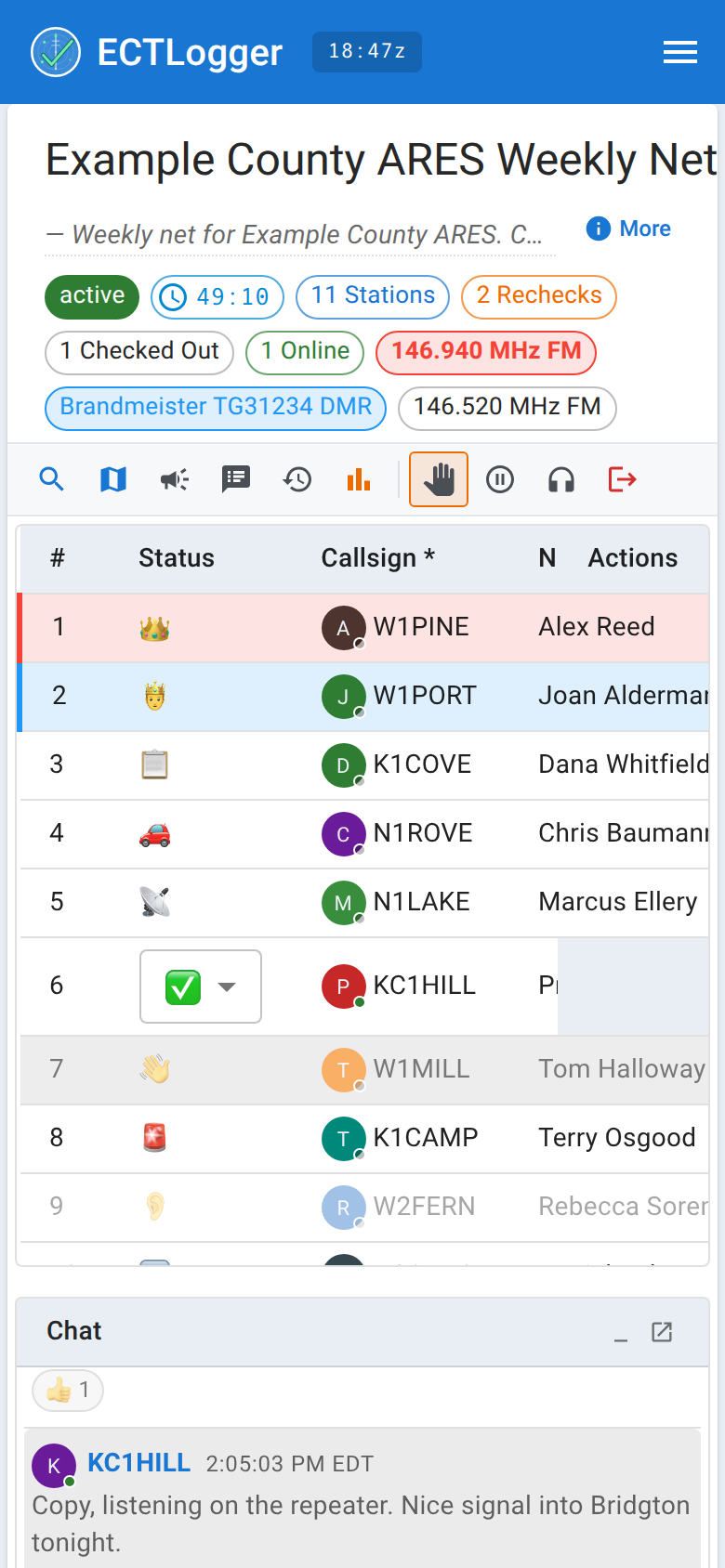
The check-in list simplifies on a phone: other stations’ rows are read-only (nobody’s fields change by an accidental tap while you’re scrolling one-handed), and the only per-row action offered is deleting a check-in, which is staff-only anyway. Your own status is still one tap away through the status dropdown, exactly as described in Status, rechecks, and checking out — that’s not staff-gated, it’s your row. Step away, Just listening, and Check out are quicker still from the toolbar, which is worth knowing here more than anywhere: on a phone the toolbar shrinks those buttons to icons, and then tucks them into the More menu at its end, but they keep working and they save you hunting for your own row on a small screen. Chat, the map, and the check-in form itself all work the same as on a desktop, just laid out for a narrower screen.
What degrades on a bad connection
A weak or intermittent signal doesn’t break the app outright, but a few things get rougher:
- The live connection can drop and silently go stale. ECTLogger watches for this and reconnects on its own after a couple of missed heartbeats, but for a few seconds you may look offline to everyone else, or their updates may lag behind what you see.
- Pasted images in chat may fail to upload on a very slow link, even when plain text messages keep going through fine.
- GPS accuracy varies with how good a fix your phone can get, same as any GPS use — a grid square derived from a weak fix is still a grid square, just a less precise one.
When your phone can’t reach the server at all
This is the case worth planning for, not fearing: check in over the air, exactly like a station with no browser at all. Give your callsign and information to Net Control or the Logger by voice, and they’ll log it from their end. Your check-in lands in the same list, on the same map, in the same report as everyone who typed it in themselves. Nothing about being offline costs you anything in the net’s record — the app is a log of the net and a convenience channel for the people who have it open, not a requirement for taking part in it.
When you’re back in range, open the net again and confirm your check-in is there. If your status changed in the meantime (you moved, you’re wrapping up), update it yourself once you’re connected — see Status, rechecks, and checking out.