Checking in
Checking in puts your callsign on the net’s list. You need to be signed in to do it yourself from the app. If you’d rather not create an account, or you’re nowhere near a browser, check in over the air instead and let Net Control or the Logger type it in for you. Either way you end up with the same row in the same list.
Opening the check-in form
Open an Active or Lobby net. If you haven’t checked in yet, a banner appears after a moment (“This net is active. Would you like to check in?”, or “The lobby is open! Would you like to check in?” for a net still in its lobby) with a Check In button right there. Dismiss it if you’d rather just watch.
If you’re eligible to help run the net (an active net staff member or NCS rotation member for its schedule, with no role on this occurrence yet), the banner offers Check In as NCS or Check In as Logger alongside Check In as Participant; Roles and permissions explains what that eligibility means. Whichever you click opens the check-in form with that choice already made, and the form itself still lets you change it via a Standard participant option if you’d rather just check in this time.
You can also open the same form later from the net’s toolbar.
Filling it in
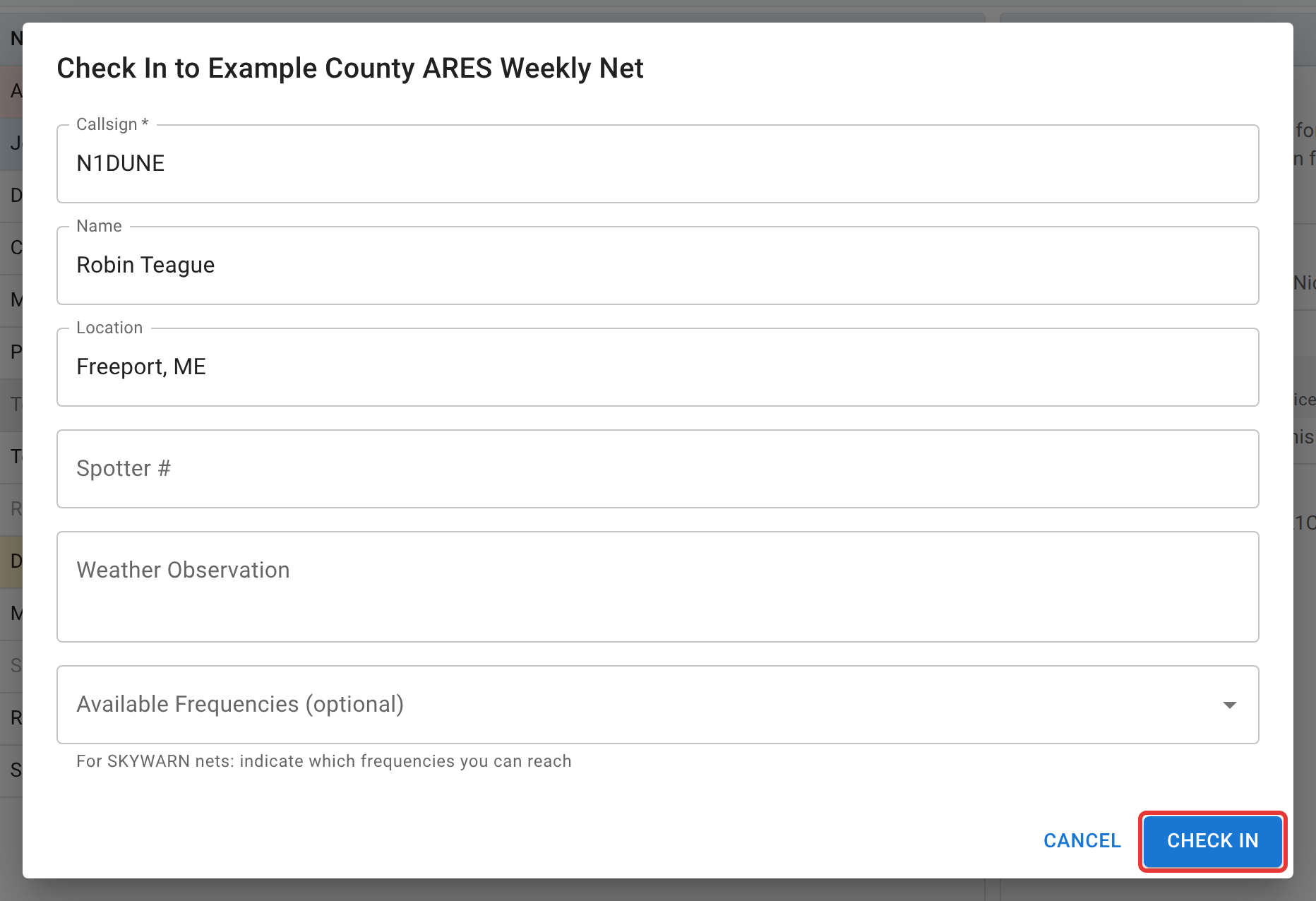
Callsign is the only field every net requires. Beyond that, what you see depends on what the net’s manager turned on:
- Name, Location, Spotter # (SKYWARN number), Weather Observation, Power Src, Power, and Notes are each independently switched on or off, and independently required or optional, per net. A field that’s off simply doesn’t appear.
- If the net has a Topic of the Week or a poll running, the question shows above a text field for your answer, right in this same dialog.
- On a net with more than one working frequency, an Available Frequencies picker lets you say which ones you can reach, which is mainly useful on SKYWARN nets that ask spotters to confirm coverage on more than one repeater.
- Some nets add their own custom fields on top of the standard set (a text box, a number, or a dropdown), defined by whoever set up the net.
Your Name and Location auto-fill from your profile if you’ve set a default there, or from your live GPS-derived grid square if you’ve turned on location awareness. Spotter # does not carry over automatically; type it each time the field is on. All of it is still yours to edit before you submit.
If the net doesn’t offer you a check-in form at all, with no banner and no button, its manager has turned off self-check-in for that net. That isn’t a bug: some nets want every check-in to come through Net Control by voice, usually for accountability during an exercise. Call in as usual and NCS or the Logger will log you.
Location, Notes, and the other free-text fields reject anything that looks like a link or an email address, with the field outlined in red and the message “That looks like a link or email address — this field doesn’t accept those.” These are your net’s official log; spam has no place in it.
What happens when you submit
Your row appears in the check-in list immediately for everyone watching, live, so nobody needs to refresh. A short line also appears in the net’s Activity Log (“KC1HILL has checked in from Portland (logged by KC1HILL)”) so anyone only half-watching the check-in table still sees activity go by; it always names who logged the check-in, even when that’s you checking yourself in, and adds the frequency if you picked one. That’s a separate stream from chat itself, which never mixes system events into the conversation.
If your callsign is already checked into this net and you check in again, that’s a recheck, not an error; see Status, rechecks, and checking out for exactly what that does and how it shows up in the list.
Next
Once you’re in, Status, rechecks, and checking out covers keeping your status honest for the rest of the net, and Chat, polls, and topics covers talking alongside it.