Your account and profile
You can look at the dashboard, a net, the schedule list, and the statistics pages without signing in at all. The moment you want to check yourself in, chat, file traffic, or see your own numbers, you need an account. The good news: there is no registration form. Your account is created the first time you sign in.
Getting in
Type your email address on the sign-in page, click Send Magic Link, and click the link in the email. If nobody has ever signed in with that address, that creates your account on the spot.
You can also set a password as a fallback for when email delivery is down, and turn on two-factor authentication on top of either. Both live on the Profile page’s Security tab, and both are covered in signing in.
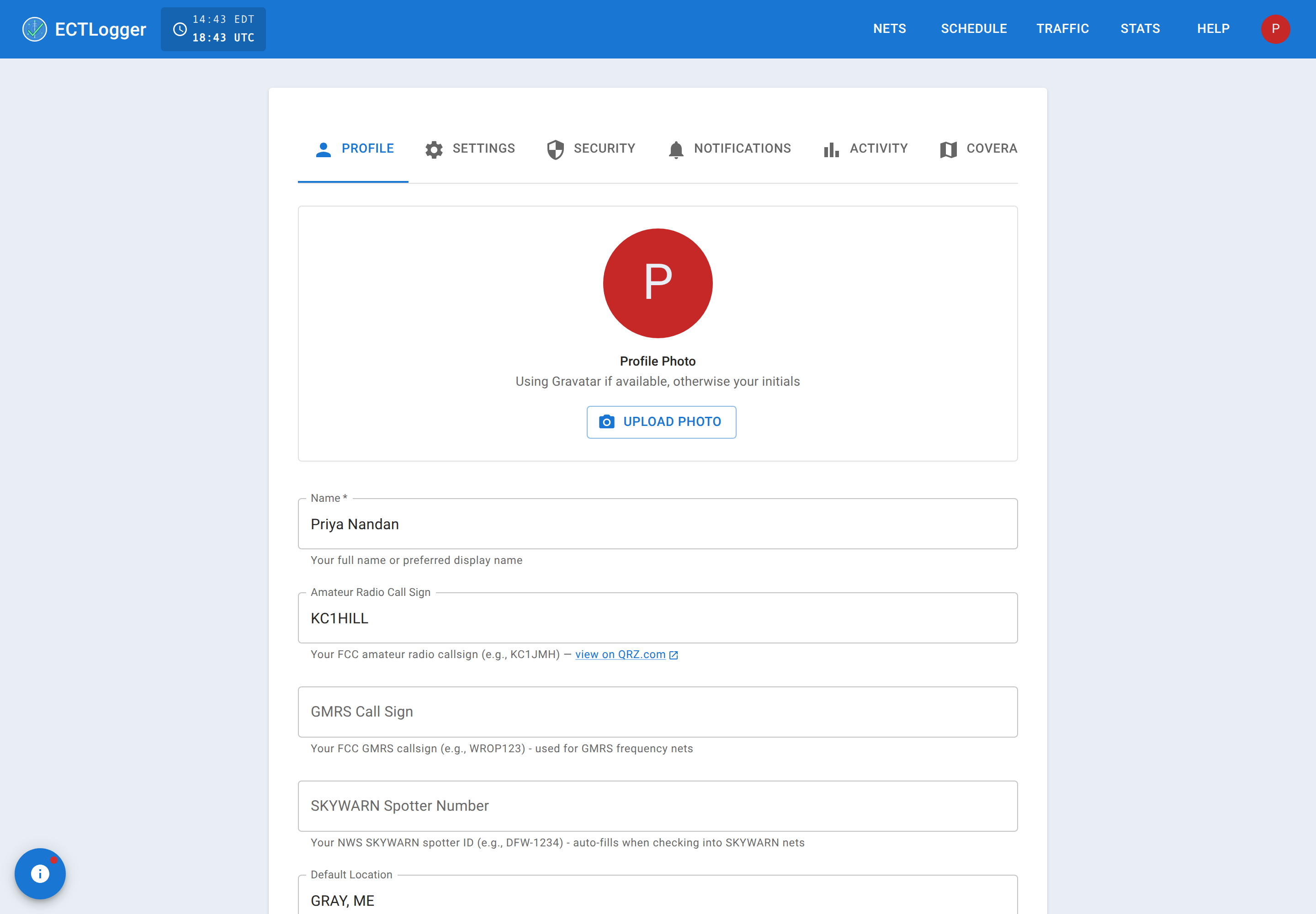
Your profile
Profile tab:
- Name — required. Your display name across the app.
- Amateur Radio Call Sign — your primary callsign. A link to look it up on QRZ.com appears once you’ve entered one.
- GMRS Call Sign — if you also operate GMRS, so nets that mix modes can log you correctly.
- Additional Callsigns — any other callsigns you use (tactical, a second license, etc.), added and removed as a list of chips.
- Previous callsigns — read-only. If you change your primary callsign, the old one moves here automatically, and your check-in history under it is kept.
- SKYWARN Spotter Number — auto-fills when you check into a SKYWARN net that asks for it.
- Default Location — your home QTH or grid square. Auto-fills the Location field when you check in.
- Website / YouTube Channel — optional, shown on your profile popup (see below), not in the check-in list.
Settings tab covers appearance and behavior: a color theme (or follow the system default), dark mode, whether times display in your local timezone or UTC, a Show activity in chat switch, and location awareness (browser GPS used to keep a live grid square). It also has a Remember Net View Layout switch and a Reset Net View Layout button. Those control whether the panels in a net (chat, activity log, script, map, and so on) stay where you last left them on this device.
Notifications tab is the email switchboard: a master switch, then per-event toggles for a subscribed net starting, a subscribed net closing (with the log attached, optionally as an ICS-309 form), a reminder an hour before a scheduled net, and an opt-in daily digest of what’s new in ECTLogger.
What other people see about you
Click any callsign in a check-in list or in chat and a popup shows your name, avatar, and (if you added one) your website link, plus a QRZ.com link built from your callsign automatically. This works even for a check-in with no ECTLogger account behind it (someone Net Control logged by voice); the popup then shows whatever name and callsign were entered, without account details like a website link. See Checking in for what a check-in with no account means.