Logging off-net activity
During a drill or an activation, a lot of your team’s communication happens away from your own net. Someone checks in to the state ARES net on HF, someone calls the state desk on a statewide DMR talkgroup, someone sends a Winlink message to the next county over. Each of those belongs in your communications log, but none of them is a check-in to your net.
The off-net log is where they go. Each accepted entry is one line on the net’s ICS-309, beside the check-ins, chat, and traffic, so the log you hand over at the end covers everything your stations did.
What to log, and what not to
Log that a contact happened: when, which station, who it was with, on what channel, and a line about it. For example, “Checked in for Example County,” or “Sent the shelter status report.”
Don’t log the message itself. A Winlink message’s text stays with the station that sent it. Fill in its Message ID instead, so a printed or exported copy of the message can be matched to its line on the ICS-309 later.
Something you heard about somebody else, such as another county’s shelter filling up, is not your station’s activity and doesn’t belong here.
Opening the off-net log
The Off-net button on the net toolbar opens the log. It appears for net control staff (NCS, Logger, Relay, and the net’s manager) and for any signed-in station checked into the net, while the net is in its lobby, running, or closed.

The dialog lists every entry, oldest first, with its status:
- On the log - accepted, and on the ICS-309.
- Awaiting review - a station logged it and net control hasn’t accepted it yet.
- Rejected - net control turned it down. It stays visible to whoever logged it, but it isn’t on the ICS-309.
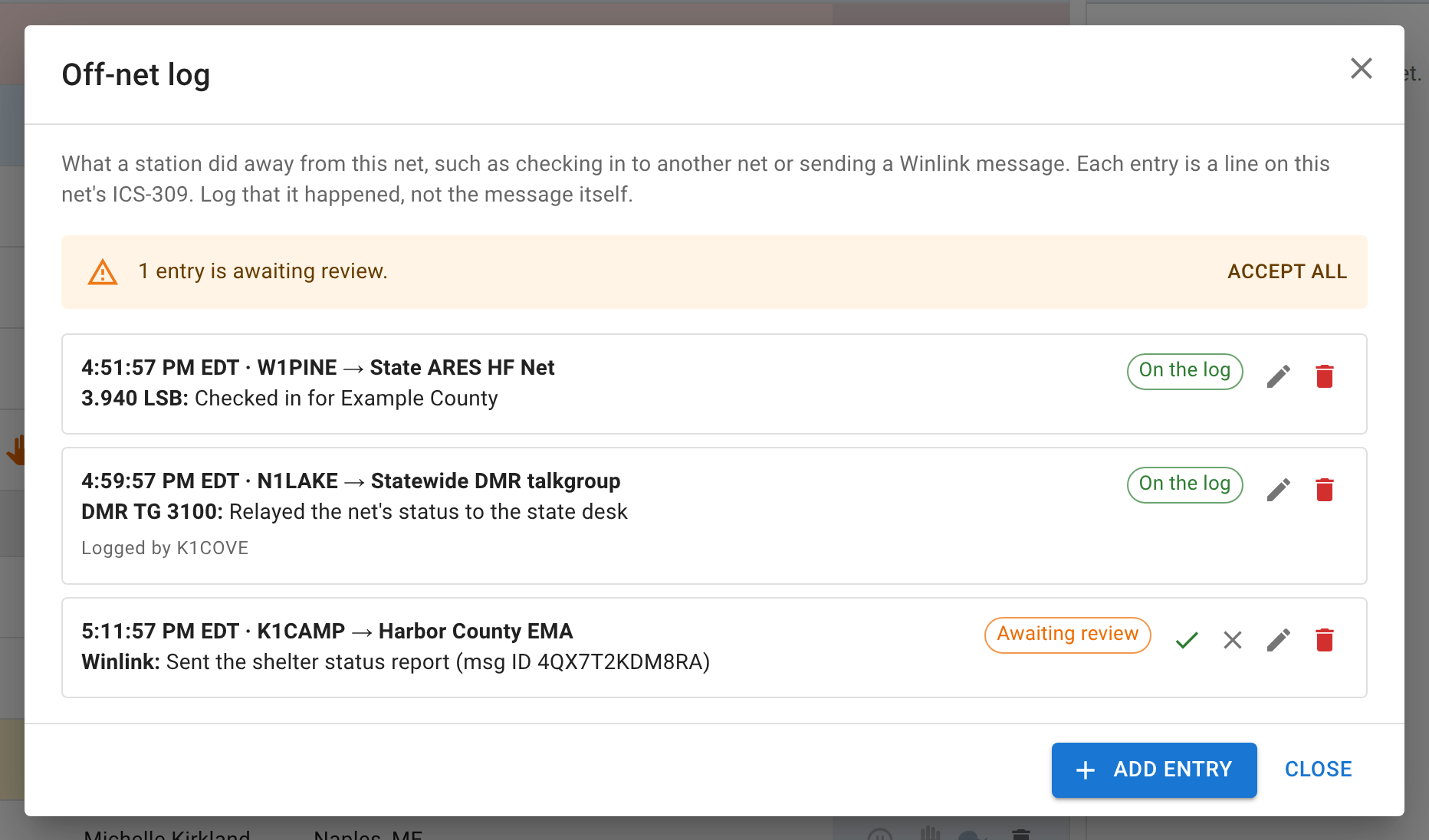
Adding an entry
Click Add entry and fill in:
- Time - when it happened. It starts at the current time; change it if you’re logging something after the fact.
- From station - the station that made the contact. Net control can enter any callsign, which is how you log a contact a station reports to you over the air. A station logging its own activity always logs as itself.
- To - who the contact was with, such as “State ARES HF Net” or “Harbor County EMA.”
- Channel - where it happened, such as “3.940 LSB,” “DMR TG 3100,” or “Winlink.” The list suggests this net’s own frequencies, but you can type anything.
- What happened - one line.
- Message ID - optional, for a Winlink message or anything else with an ID of its own.
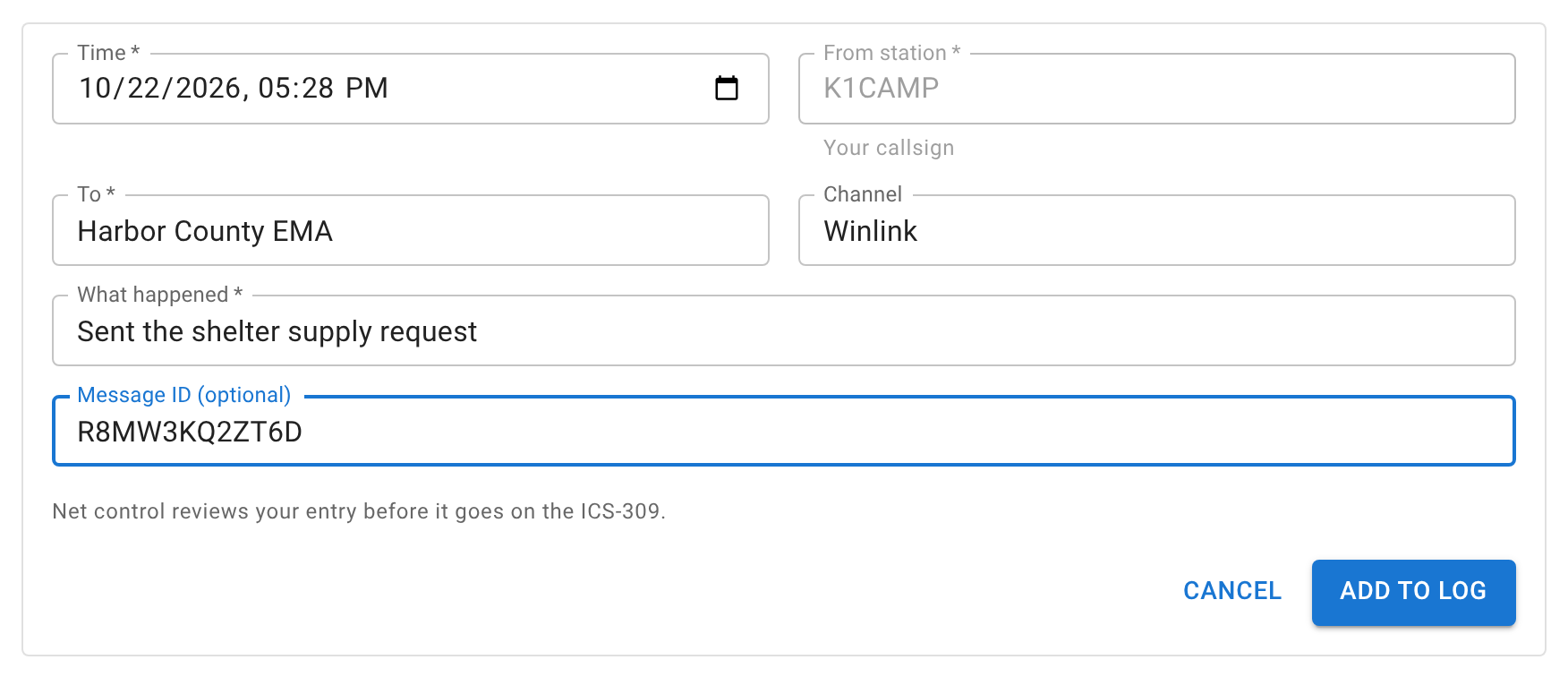
An entry from net control is on the log as soon as it’s saved. An entry from a station waits for review.
Reviewing stations’ entries
When stations have logged entries of their own, a notice at the top of the off-net log says how many are waiting. NCS, Logger, and the net’s manager can:
- Accept an entry with the check mark, or accept them all at once with Accept all.
- Reject one with the X.
- Edit any entry, to fix a typo or a time, before or after accepting it.
- Delete an entry that shouldn’t be there at all.
Relay operators can add entries that count straight away, and change or delete their own, but they don’t review anyone else’s.
A station can change or delete its own entry until it’s accepted.
Closing with entries still waiting
If entries are still awaiting review when you click Close net, the confirmation says so and gives you three choices:
- Review - opens the off-net log, without closing the net.
- Accept all and close - accepts every waiting entry, then closes the net.
- Close anyway - closes the net. Entries you haven’t accepted are left off the ICS-309 in the closing email.
You can still accept entries after the net closes. Downloading the ICS-309 again afterward includes them. See Closing the net.
Who sees off-net entries
Only signed-in users ever see the off-net log. Net control staff see every entry. Any other station sees the accepted entries and its own.
A visitor who isn’t signed in never sees off-net entries, including on a public net’s ICS-309. An entry can name a shelter or an office that the net shows only to its staff.
Next
Closing the net covers the ICS-309 the closing email carries, and Handling traffic covers formal messages your net handles itself.