Schedule statistics and leaderboards
Every schedule has its own statistics page, reached from that schedule’s Stats button in the Scheduler. It’s everything about how the series has performed, not just one night of it: how many nets it’s actually produced, who keeps showing up, and who’s been running it.
The time window
Every number on the page (instance count, check-in counts, leaderboards, and the history log below) respects one filter at the top: 30d, 90d, 1y, or All. It opens on 1y. Switching it re-scopes the whole page at once, so a schedule that’s been running for years doesn’t drown a recent trend in old data unless you ask it to. Drop to 30d when you want to know how the last month went rather than how the net has done overall.
Participation over time
A line chart tracks check-ins and unique operators across the schedule’s recent nets, next to three summary cards for the selected window: Net Instances, Total Check-ins, and Unique Operators.
The four leaderboards
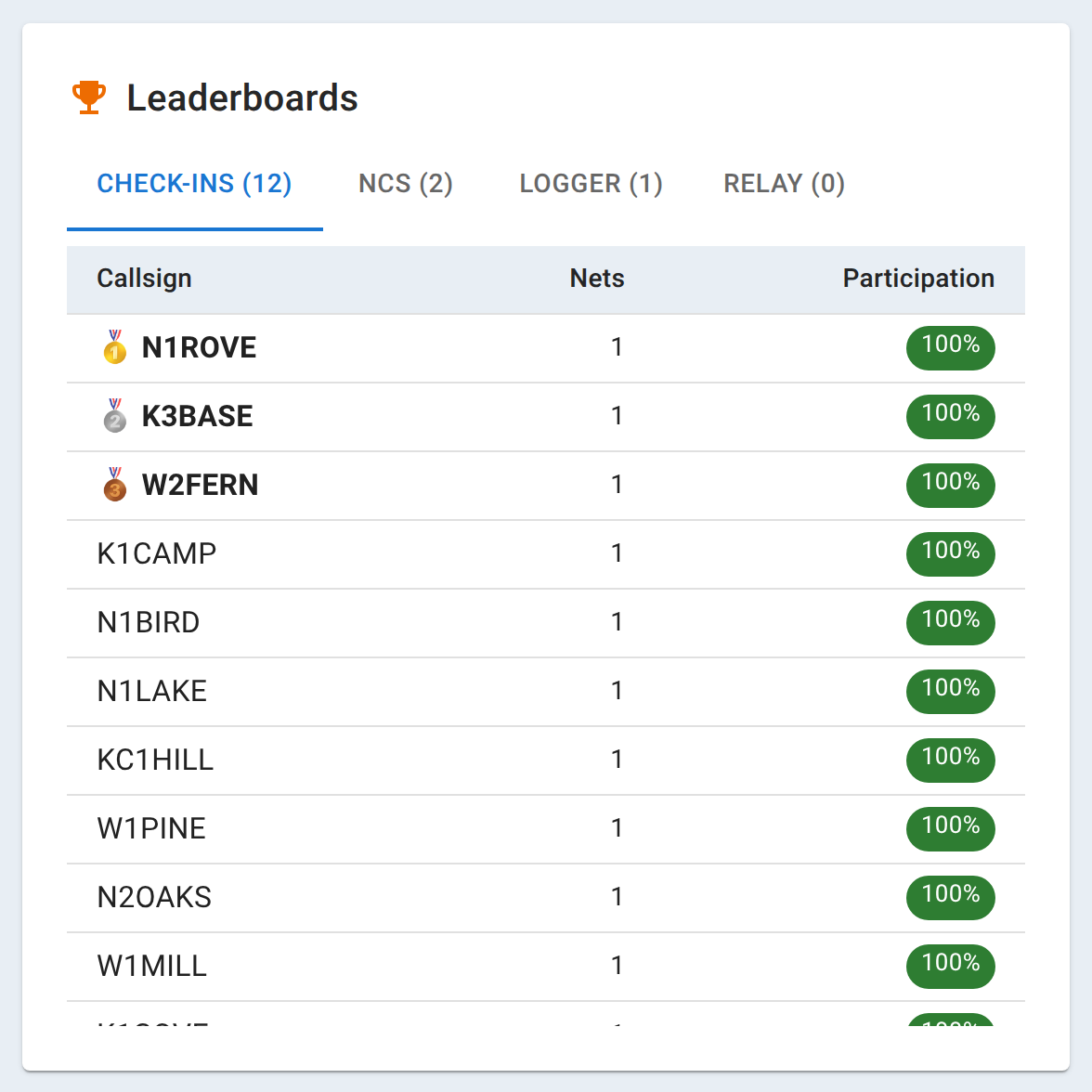
Four separate rankings share one card, switched between with tabs: Check-ins (who shows up most), NCS (who’s run the net most), Logger, and Relay. They’re independent: a station near the top of Check-ins may never have held a role, and someone who’s run the net as NCS every week may check in from a different callsign than the one credited. The top three rows on each get a medal.
Net history
Below the leaderboards is a plain log of the schedule’s recent instances, with the date, the check-in count, and a link straight into that net, for spot-checking a specific night rather than reading it out of the chart.
Linking an existing net into a schedule
If a net was started on its own, as a one-time net, and only later turned out to belong to this series, Link Existing Net attaches it after the fact, so its check-ins count toward these statistics retroactively. It only offers nets you own that aren’t already attached to this schedule; a net currently linked to a different one is offered too, and linking it here moves it.
The schedule report
Export PDF produces a Schedule Performance Report covering the selected time window: the summary cards, the chart, and all four leaderboards stacked in full (not just whichever tab happens to be open on screen), suitable for handing to a club or an emergency coordinator as a season or year-end summary.
Related
An individual net’s own report, covering just that one night including its full chat and check-in log, is Reports, ICS-309, and exports. Your own personal participation across every net you’ve attended is Your statistics.