Recurring schedules
A schedule is the plan; a net is one session it produces. Everything on this page lives on the schedule, not on any single night’s net. Change it here and the change applies starting with the next net the schedule creates. The interface mostly just calls it “schedule,” but the underlying record is a NetTemplate, so you’ll see the word “template” in a URL or an API response now and then; it means the same thing.
Every net has a schedule, including a one-time net made with the dashboard’s + button. Its schedule is set to run once, and it’s listed in the Scheduler under the same name, after the recurring schedules. To turn a one-time net into something you run again, edit that schedule and change its Schedule Type: Ad-Hoc to start it by hand whenever you need it, or Weekly, Monthly, or Daily to run on its own. The frequencies, script, announcements, and staff all carry over, and the nets it already produced stay on it, so their statistics count toward the schedule too. You can change the type again later, for example from Weekly to Ad-Hoc for a season when the group meets for planning sessions or work details instead.
A brand-new account may have to wait
Your instance’s admins can require an account to be a minimum age and to have checked into at least one net before it’s allowed to create a schedule, as an anti-spam measure, plus a daily cap on how many schedules any one account can create. The defaults are 7 days, 1 net, and 5 a day; your instance may have them turned up, down, or off. This applies to every schedule, including the one-time occurrence the dashboard’s + button creates behind the scenes when you start a net (see Creating a net). Admins are exempt, and can give a specific trusted account early access without changing the instance-wide setting; see Users and roles.
Recurrence types
The Schedule tab sets how often the schedule creates a net:
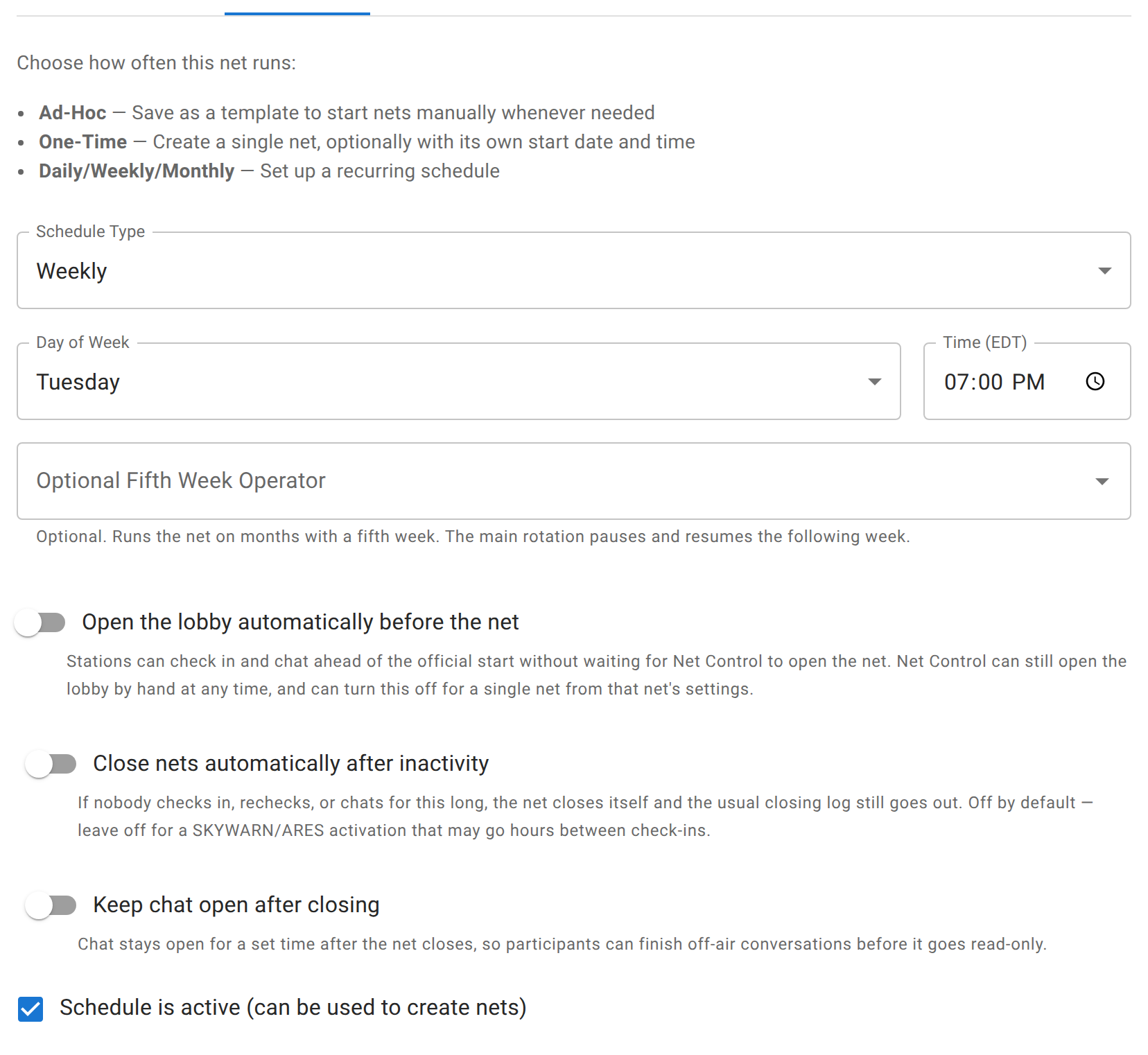
- Ad-Hoc creates no nets on its own. It’s a saved template you start manually, whenever you need it, from that schedule’s Create button.
- One-Time creates a single net. Giving it a start date and time is optional. Leave it blank and the net is created immediately with no countdown; fill it in and the net gets a real scheduled start, which also unlocks the auto-lobby offset below.
- Daily, Weekly, and Monthly create nets on their own, on the day and time you set. Monthly lets you pick which week or weeks of the month (including “last”). A weekly schedule can also name an optional fifth-week operator, someone who takes the one extra Tuesday (or whichever day) a five-week month produces, while the regular rotation just skips that week and picks back up the following one.
Whichever type creates nets automatically, each occurrence starts unstaffed unless the schedule has a rotation; see Net staff and the NCS rotation for why that’s intentional, not a bug.
What a new net inherits
A net created from a schedule starts with a copy of everything the schedule has set: name, description, info and stream URLs, script, announcements, frequencies, check-in field configuration, ICS-309/topic/poll settings, traffic settings, and the auto-lobby and auto-close defaults. From that point on the two are independent: editing the net changes that occurrence only, and Save to Schedule is the only thing that pushes an edit back the other way.
Net staff, the rotation, and subscribers are never copied onto the net as a one-time snapshot. They stay on the schedule and are read fresh each time a net needs an NCS assignment or a notification goes out.
Subscriptions
Anyone can subscribe to a schedule from its Subscribe button in the Scheduler, which is the same bell used for “notify me” elsewhere in ECTLogger. A subscriber can opt into the net starting, the net closing (with the log attached), and a reminder before it begins, each controlled from their own profile notification settings, independent of whether they’re staff. Net staff get their own operational reminder regardless of whether they’ve subscribed, since running the net is a duty, not a preference. Schedule owners and co-managers can see the subscriber list from the schedule’s Net Staff dialog or the Staff tab.
A schedule can also be followed as a calendar or RSS feed without subscribing at all; see Feeds.
Related
Who can start and run nets from this schedule, and the NCS rotation order, are Net staff and the NCS rotation. The script and standing announcements themselves are Scripts, notes, and announcements.