The ICS-214 activity log
The ICS-214 Activity Log is the Incident Command System (ICS) form that records what a unit did: who was assigned, and the notable things that happened, with times. A served agency files it, and it’s the reference for the after-action report. ECTLogger fills it in from the net’s log, so you start from a draft.
It’s for whoever can close the net: the NCS, the Logger, the net’s manager, and the manager of the schedule it came from. It opens once the net has closed, including while you’re finishing the log later.
Fill it in and download it
- On the closed net, click Reports on the toolbar and choose ICS-214.
- Check the boxes at the top. ECTLogger fills in 1. Incident name (the drill plan’s exercise name, or the net’s name), 2. From and To (when the net ran), 3. Name (the net’s schedule, or its own name when it has none), 4. ICS position (whoever was credited as NCS), and 8. Prepared by (you). Type your team into 5. Home agency (and unit), such as Example County ARES.
- Under 6. Resources assigned, check the list of everyone who took part. Fill in an ICS position or home agency where you know it, and untick On form for anyone who doesn’t belong on it.
- Under 7. Activity log, read the lines. Untick On form to leave one off, or click the pencil to reword it.
- Under Add a line, enter the date and time and what happened, then click Add, for anything that happened off the air: a briefing, a site being set up, a supply run.
- Click Download PDF. Your changes are saved first.
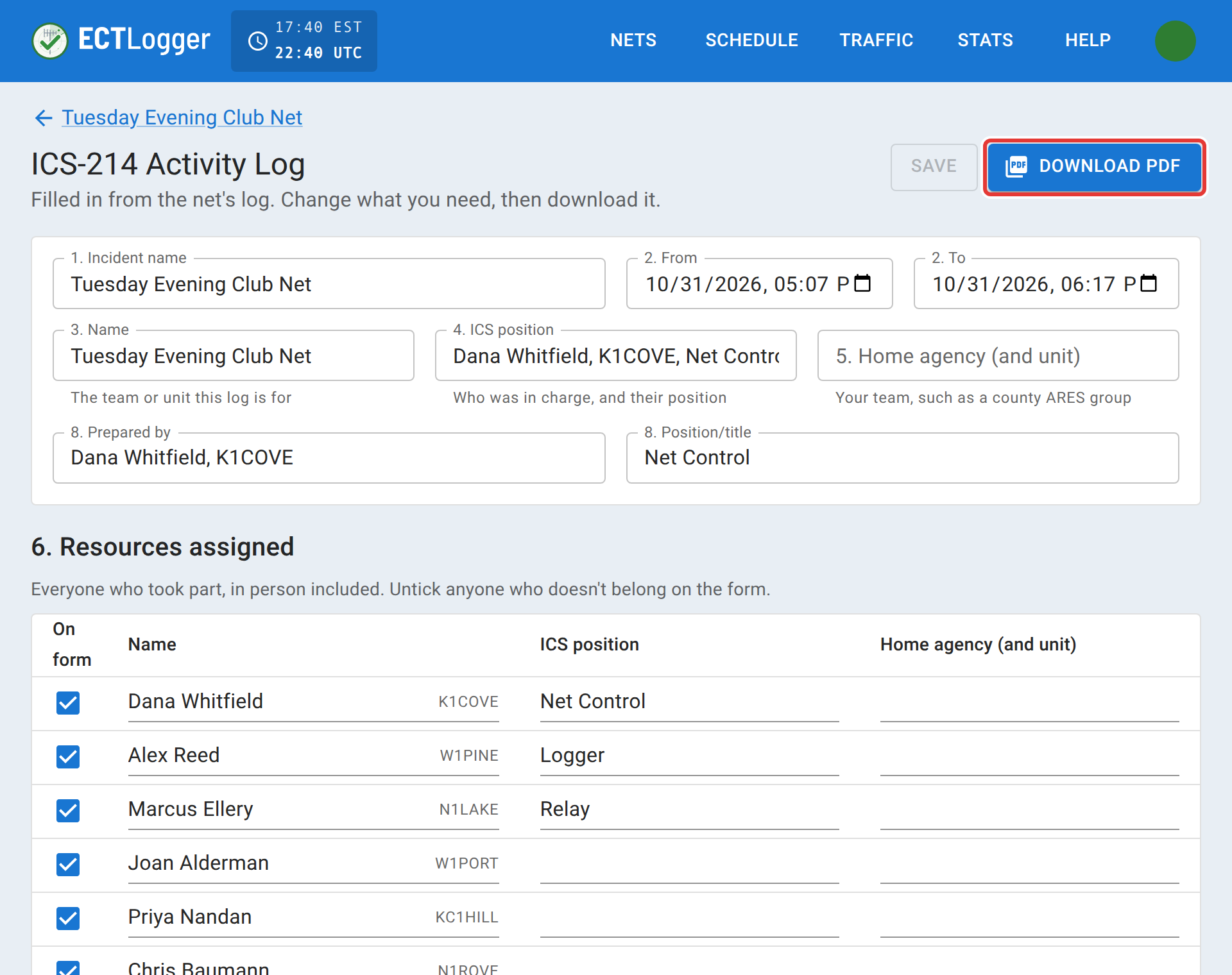
Save keeps your changes without downloading. A line you added is saved as soon as you click Add, and so is a change to it; everything else waits for Save or Download PDF, and your browser asks before you close the tab with changes unsaved.
What goes on the form
Every line comes from something logged on the net, not from the schedule’s roster or the rotation:
- The net opening, on its frequencies, and closing.
- A station on the air from a place for the first time, such as “on the air from Naples Shelter on 146.520 FM”, and each time it moves somewhere new, with where it moved from. A station checked in In person reads “checked in in person”.
- A station adding a channel at a place. A recheck on a channel it already had is left out, since it isn’t news.
- A channel marked offline, and back online.
- A station checking out on its own. A station that moved, or that was still on when the net closed, isn’t listed as checking out.
- Someone taking net control, logging, or relay, if they took part in the net.
- Each step of a formal message’s handling, as on the ICS-309: what it was and who handled it, never the message text.
- The lines you added.
Times are on the 24-hour clock, in your own time zone, or UTC if your profile prefers it. The date is added when the net ran over more than one day, or when a line falls on another day.
A station added from a paper log with no time shows Not recorded here and prints with a blank time.
The parts that surprise people
“On the air from”, not “arrived”. A check-in shows the station was on the air from that place at that time. It doesn’t show when the team got there, so the form doesn’t claim it. Reword a line if you know more.
Your changes stay put; the rest follows the log. A box you didn’t change keeps following the net, so fixing the net’s start time or the drill plan’s exercise name updates the form too. A line you reworded keeps your wording.
A drill is marked on every page. On a net with a drill plan, each page of the PDF says THIS IS AN EXERCISE at its top and bottom, so a printed copy found later can’t be taken for a real incident.
ECTLogger doesn’t keep the copy you handed over. Downloading again makes a new PDF from the form as it is now. Keep the file you gave the agency.
Next
Closing the net covers the rest of what a closed net produces, and Reports, ICS-309, and exports covers the net report and the ICS-309.