Authenticated nets
A net’s manager can turn on Authenticated Net when creating or editing a net or schedule (that switch lives in the net’s settings, not on the net view itself; see the net managers path). Once it’s on, the net’s manager, an admin, NCS, and Logger get a way to confirm that a checked-in station really is the ECTLogger account it claims to be, using the six-digit code from that operator’s authenticator app.
What it proves
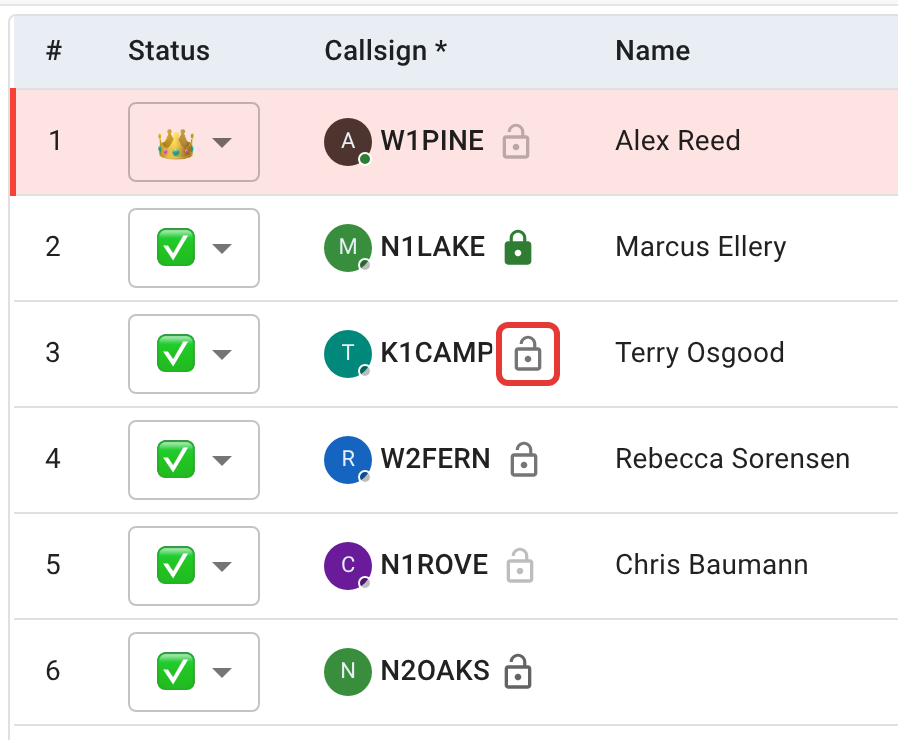
Every check-in row on an authenticated net shows a padlock next to the callsign. An open padlock means unverified; a closed one means someone confirmed a match. Only the net’s manager, an admin, NCS, or Logger can click it to act on it; everyone else sees the same padlock, read-only.
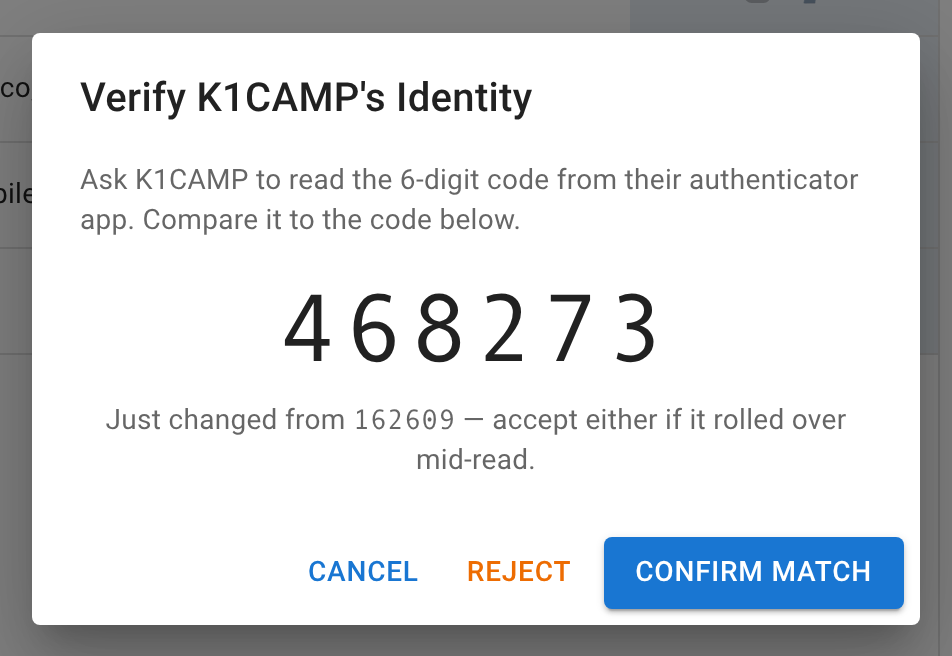
Clicking it opens a dialog showing the current six-digit code ECTLogger computes for that station’s account, plus the previous 30-second window’s code in case it rolls over mid-sentence while you’re reading it aloud together. Ask the operator to read theirs from their authenticator app, compare it to what’s on screen, and click Confirm Match or Reject. A reject explicitly clears any earlier verification rather than just closing the dialog, so a station that was verified once doesn’t stay marked as verified after failing a later check.
This proves exactly one thing: the operator checking in holds the TOTP secret tied to that ECTLogger account. It’s the same second factor used for two-factor login, repurposed to confirm identity over the air instead of on a login screen. It does not prove who’s physically transmitting, that the account hasn’t been shared, or anything about the callsign itself being correctly licensed. It only ties this check-in to that specific account with the same confidence your app’s own MFA already relies on.
What it can’t verify
- A check-in with no linked account can never be verified. There’s no account, so there’s no secret to check against. The padlock icon still appears, but it’s fixed and unclickable. This is exactly the situation for any guest check-in (see Logging check-ins).
- A station whose account doesn’t have two-factor authentication enabled is unverifiable for the same reason: there’s no code to compare. The padlock stays open with no way to close it until that operator sets up MFA on their own account, which they do from Profile > Security.
- A staff-entered check-in (NCS or Logger logging someone in by voice) is check-in data like any other and can be verified the same as a self-check-in, provided the account behind it has MFA enabled. Verification is about the account, not about who typed the row in.
Next
Chat moderation and Handling traffic cover the other staff-only tools on the net view.