Stations at sites
On a net whose manager has added sites, such as the shelters of an ARES deployment or the aid stations of a race, the check-in form has a Site box ahead of Location. It records where the station is tonight, separately from where it usually is, and the toolbar’s Sites board shows every station grouped by it.
A net without sites has no Site box, no Site column, and no Sites button.
Check a station in at a site
- Type the callsign as usual. ECTLogger fills in the station’s name and usual town.
- In Site, pick where the station is. Start typing to narrow the list:
- One of the net’s sites, grouped by type. Location changes to the site’s own place, so the station lands at the site on the map.
- Home, for a station operating from home, such as an independent support station. Location keeps the station’s usual town.
- Field Deployed, for a station deployed somewhere that isn’t on the net’s list.
- Traveling, for a station on the road. This is the same as the Mobile status, and picking one sets the other.
- Fill in the rest and add the check-in.
Leave Site empty for a station that is simply on the air, as on any other net.
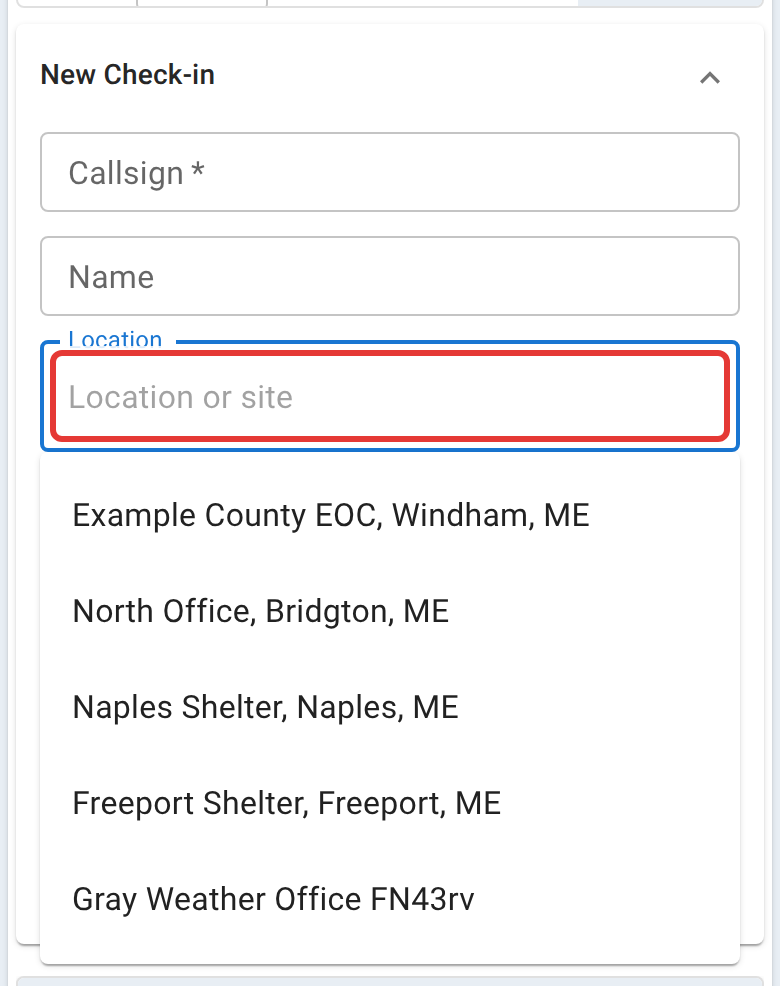
Why Site and Location are separate. Every check-in teaches ECTLogger a station’s usual town, so the next net can fill it in. A check-in at a site, on the road, or deployed somewhere is where the station is tonight, not where it lives, so it never replaces that town. A check-in from Home, or one with no site, does.
A station checking itself in gets the same Site box, offering only the sites in use.
When a station moves
Check the station in again, at its new site. Nobody can be in two places at once, so ECTLogger checks out the station’s earlier check-in for you, even if the station forgot to check out, and the chat records it, such as “KC1HILL has rechecked from Freeport Shelter (checked out of Naples Shelter)”. Both check-ins stay in the log with their own times.
The same goes for a station leaving a site: set its status to Mobile, or check it in again with Traveling, and it moves to Traveling on the board. When it arrives, check it in at its new site.
Three cases don’t check anything out:
- The same site on another frequency. A station checked in on the repeater and again on simplex from the same shelter keeps both check-ins, the way it does on any net.
- No site given. A recheck with an empty Site box is taken to be at the same place as before.
- The same site on the same frequency. That’s still a duplicate, and ECTLogger says the station is already checked in.
A station that went Traveling and is checked in again with no site is refused as already checked in; pick where it arrived.
Fixing a site picked by mistake
On a net with sites the check-in list has a Site column ahead of Location. Click a station’s site to open the row for editing, pick the right one, and press Enter or click away, the same as fixing any other cell (see Editing a row in place). Location changes to match.
A correction is not a move: nothing is checked out and no second row is added. Use it when the site was wrong, and check the station in again when it really went somewhere else, so the log shows when it moved.
The Sites board
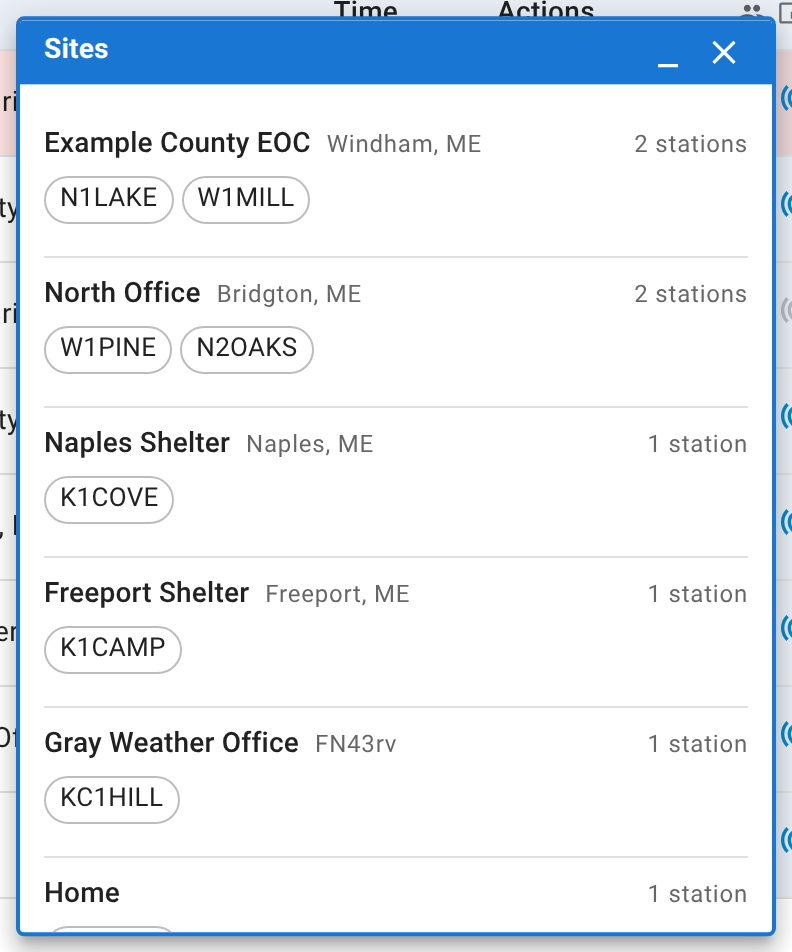
Click Sites in the toolbar. A small window opens that you can drag beside the check-in list, listing every station checked in right now under where it is: each site in the net’s order, then Traveling, Home, Field Deployed, and Not at a site. Hover a callsign to see the station’s name and location.
Every site the net is working is listed even when nobody has reached it yet, marked Nobody here, so an unstaffed shelter stands out. The board follows the check-in list as it changes: a check-in, a move, or a check-out shows up on it straight away.
Next
Logging check-ins covers the rest of the check-in form. On a coverage drill, Station coverage covers recording what each site can hear.