The maintenance banner
The Maintenance tab puts a red bar across the top of the app for every visitor, signed in or not. Use it to warn people about planned downtime before it happens, not to announce it after the fact; every browser checks for it roughly every 10 seconds, so turning it on reaches everyone almost immediately, but it only helps if it’s up before the interruption starts.
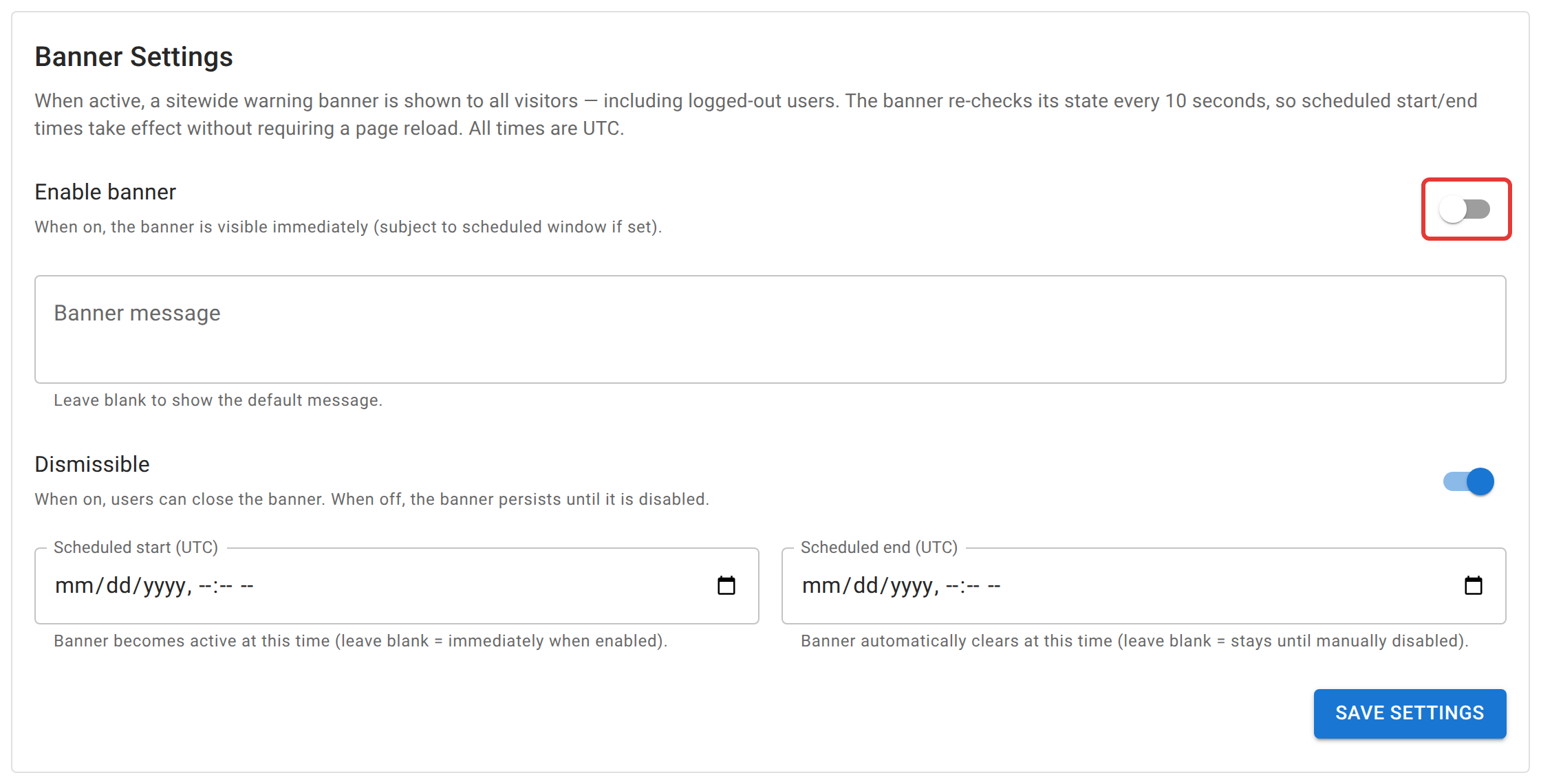
Turning it on
- Switch on Enable banner.
- Optionally write a custom message. Leave it blank for a generic “scheduled maintenance in progress” notice.
- Choose whether it’s dismissible. On, a visitor can close it for their session; off, it stays put until you turn the banner off yourself. Use this for something they genuinely shouldn’t be able to miss.
- Optionally set a scheduled start and end (in UTC). Leave start blank to show it the moment you enable it; leave end blank and it stays up until you disable it by hand.
- Click Save Settings.
Turning the banner off, or reaching a scheduled end time, clears it for everyone automatically, including anyone who had already dismissed it; re-enabling it later shows it fresh again rather than staying dismissed from last time.
How this differs from the update notice
A second, yellow banner can appear independently of anything on this tab: when the frontend gets redeployed, any browser tab still running the old version shows a “new version available” notice with a Reload button. That one isn’t something you configure. It’s automatic, checked every five minutes, and it’s a nudge rather than a blocker, which is why it’s yellow instead of red. The two are deliberately different colors for the same reason a real alert and a heads-up look different: red here means “something is actually about to break,” yellow there means “no rush, but reload when it’s convenient.”
When the banner can’t help
This banner is a feature of the running app. If the backend itself is down, or the database is unreachable, nothing on this tab can reach anyone, because the app that would show it isn’t running. That situation needs the server-side maintenance page instead, which the web server holds up on its own without the app running at all. The procedure is under “Maintenance Mode” in Production deployment, and it’s a self-hosting task rather than something an admin can do from inside the app.